CLI assurance checks
seal-assurance-kit is a
separate repository with its own seal command. Clone it and run its
commands from its working directory — these are not subcommands of the
seal CLI this repository ships; see CLI reference for
that CLI’s own seal verify PATH [--pubkey HEX].
Prerequisites, from the kit’s own tested documentation: Node.js, and the kit’s checkout. No Lean toolchain, no Docker, no build step and no network access are required for its shipped fixture checks.
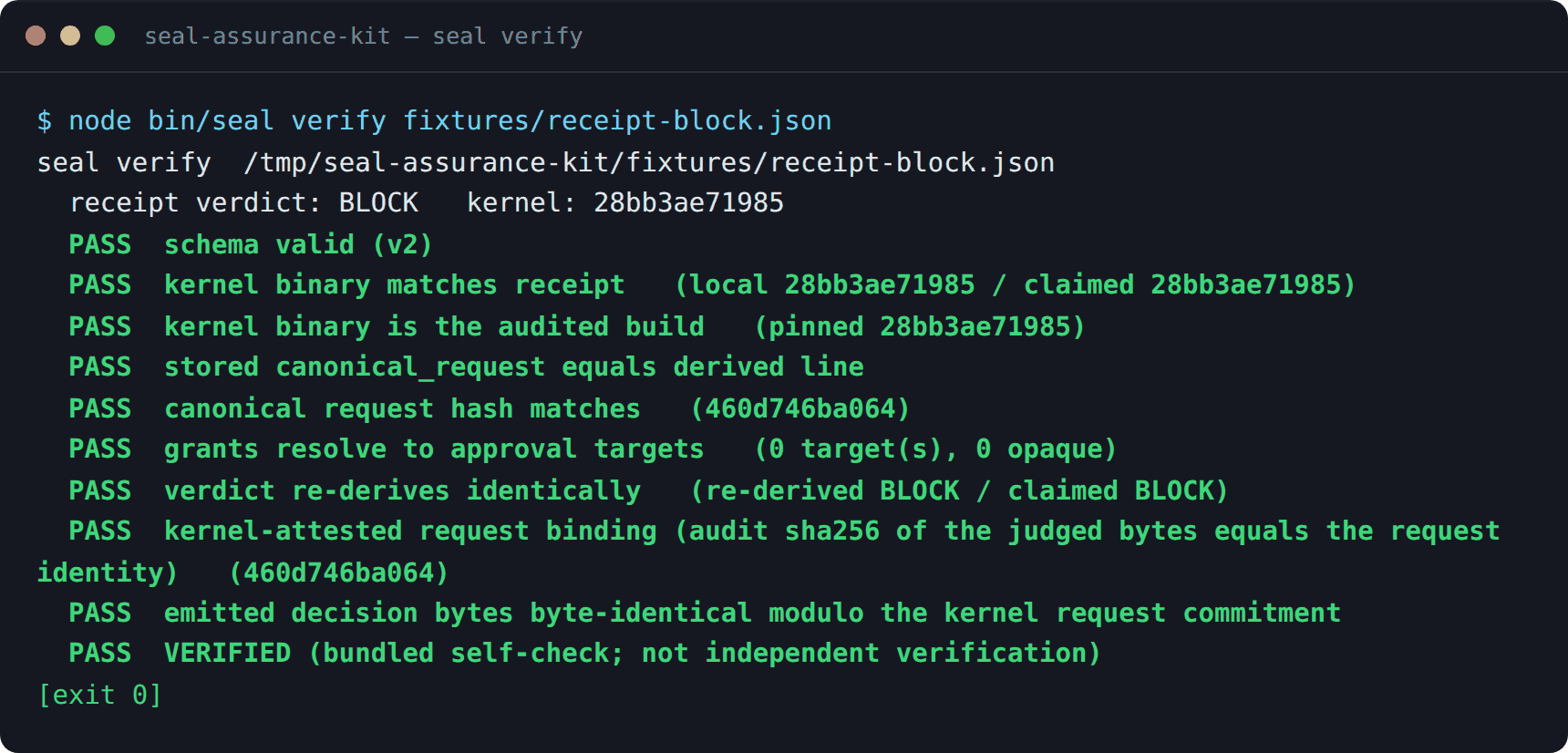
git clone https://github.com/velvetmonkey/seal-assurance-kitcd seal-assurance-kitnode bin/seal verify fixtures/receipt-block.jsonRunning that command against the kit’s own shipped fixture prints this, verbatim:
What each check does
Section titled “What each check does”| Command | What it establishes | A practical outcome |
|---|---|---|
seal verify RECEIPT |
Re-derives one receipt from its own bytes: schema, kernel-binary match, canonical request hash, verdict. | PASS VERIFIED, exit 0; a failing check, exit 1. |
seal scan TOOLS POLICY |
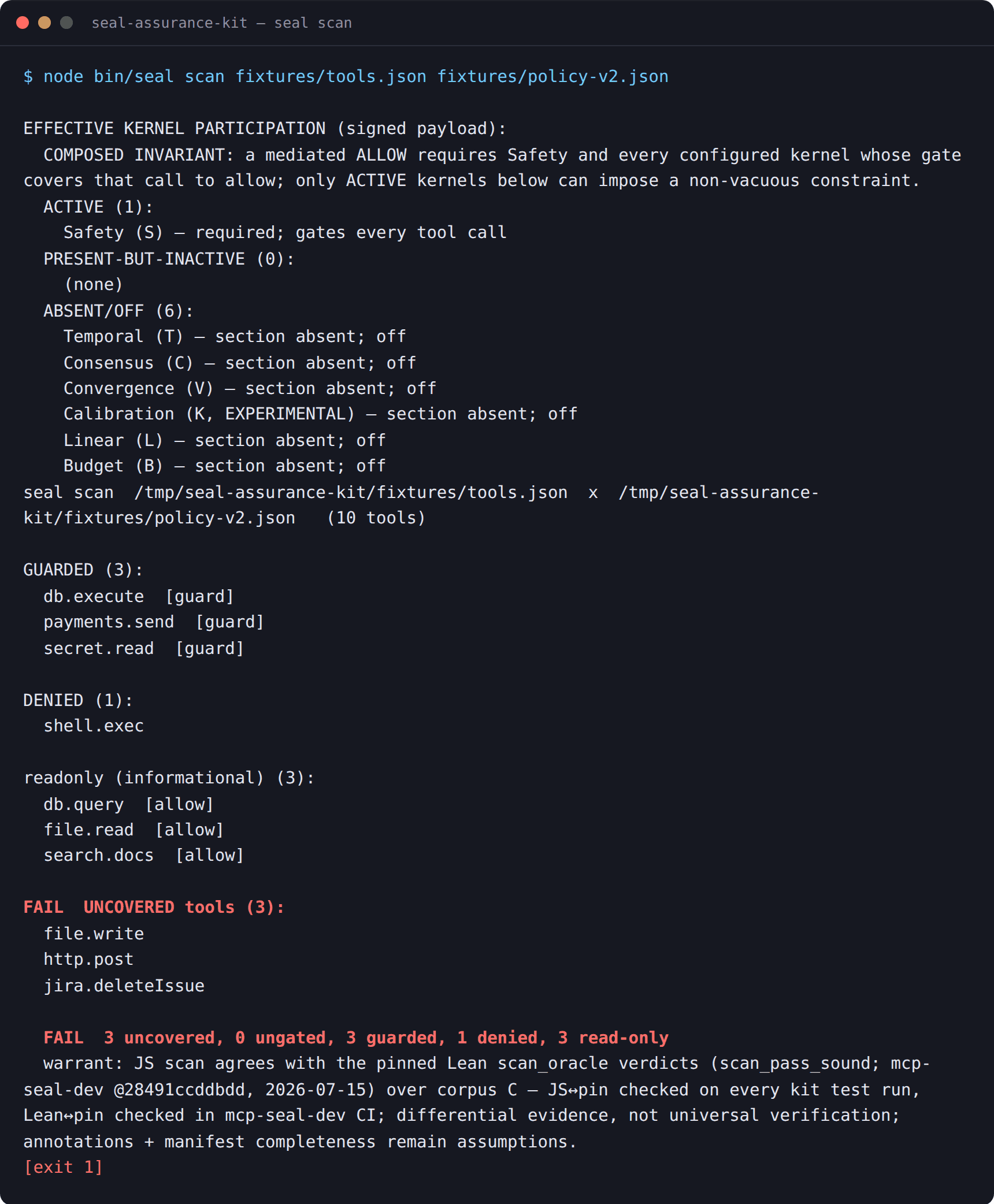
Finds every mutating tool no approval policy covers. | FAIL and exit 1 when coverage is incomplete; exit 0 only for a fully covered catalogue. |
seal receipt-diff A B |
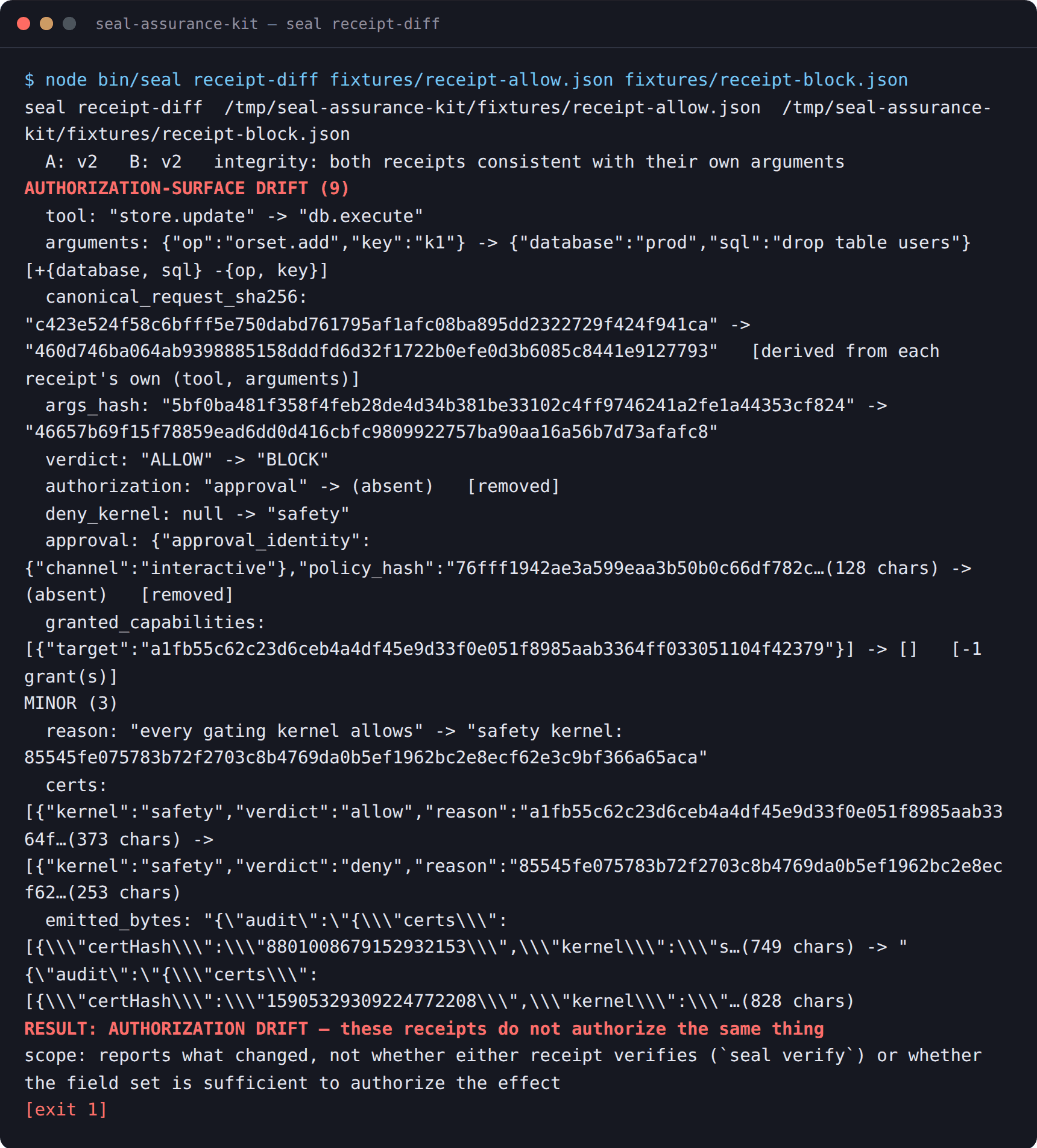
Classifies every field change between two receipts as an authorization-surface change or a minor one. | Exit 1 on an authorization-surface change. |
seal adequacy check LABELS |
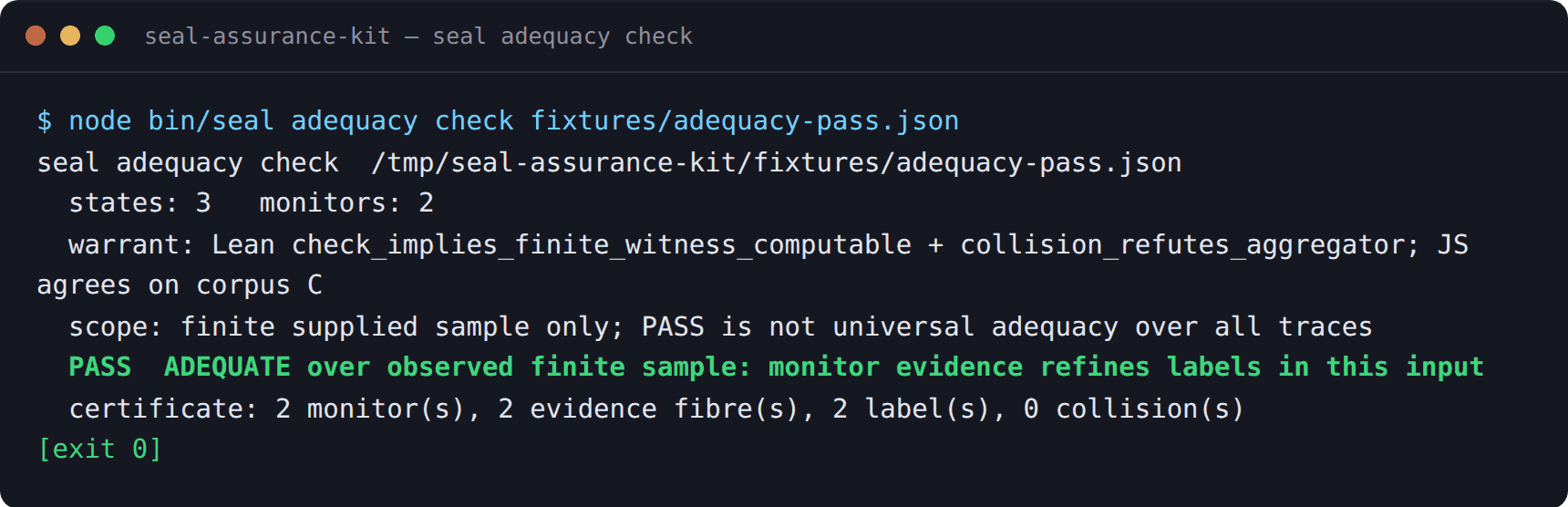
Checks whether the supplied evidence actually separates the labels it claims to, rather than merely looking like it does. | A named adequacy verdict, not a bare pass/fail. |
Real terminal output, one command at a time
Section titled “Real terminal output, one command at a time”Each image below is the kit’s own literal stdout from running the command shown in its title bar against a fixture shipped in the kit’s own repository — nothing here is paraphrased or hand-typed.
seal scan finding a genuinely uncovered mutating tool, exit 1:
seal receipt-diff classifying a genuine authorization-surface change between
two shipped fixture receipts, exit 1:
seal adequacy check on the kit’s own shipped passing fixture, exit 0:
Reading an outcome
Section titled “Reading an outcome”Distinguish three different things an outcome can mean:
- A failed check — the tool ran to completion and found a real problem
(for example,
seal scanfinding an uncovered mutating tool). This is the check working as designed. - Insufficient evidence — the tool could not evaluate a claim from what it was given (for example, a receipt format that does not carry a field a check needs). This is not the same as a failure of the thing being checked.
- A tool error — the command itself could not run (a missing fixture, a malformed argument, an unreadable file). This is a defect in the invocation, not a finding about your boundary.
Preserve the kit’s own exit codes and names rather than forcing every outcome
into an invented universal PASS/FAIL vocabulary: seal verify and seal scan
use exit 0 for a clean result and exit 1 for a finding, and seal adequacy
reports a named verdict rather than a bare boolean. Read the
kit’s own command output
for the current, authoritative list.
Previous: Browser receipt checks. Up: Choose a checking tool. Next: Check receipts.